How to execute an asynchronous function in Teamsware actions or any other expression configuration?
Description
If you need to wait for callbacks in Teamsware actions or other expression configurations before processing further, it's recommended using jQuery.Deferred() object.
The following code snippet demonstrates how to achieve this:
var deferrer = jQuery.Deferred(); //new deferred object is created.
window.setTimeout(function () {
 deferrer.resolve(); //Resolve the deferred. Then e.g. next predefined Rich Form's actions will start to execute.
}, 10000);
return deferrer.promise(); //returns promise object
Example
After a new item is added you want to update its permissions and allows only Approver to edit this item.
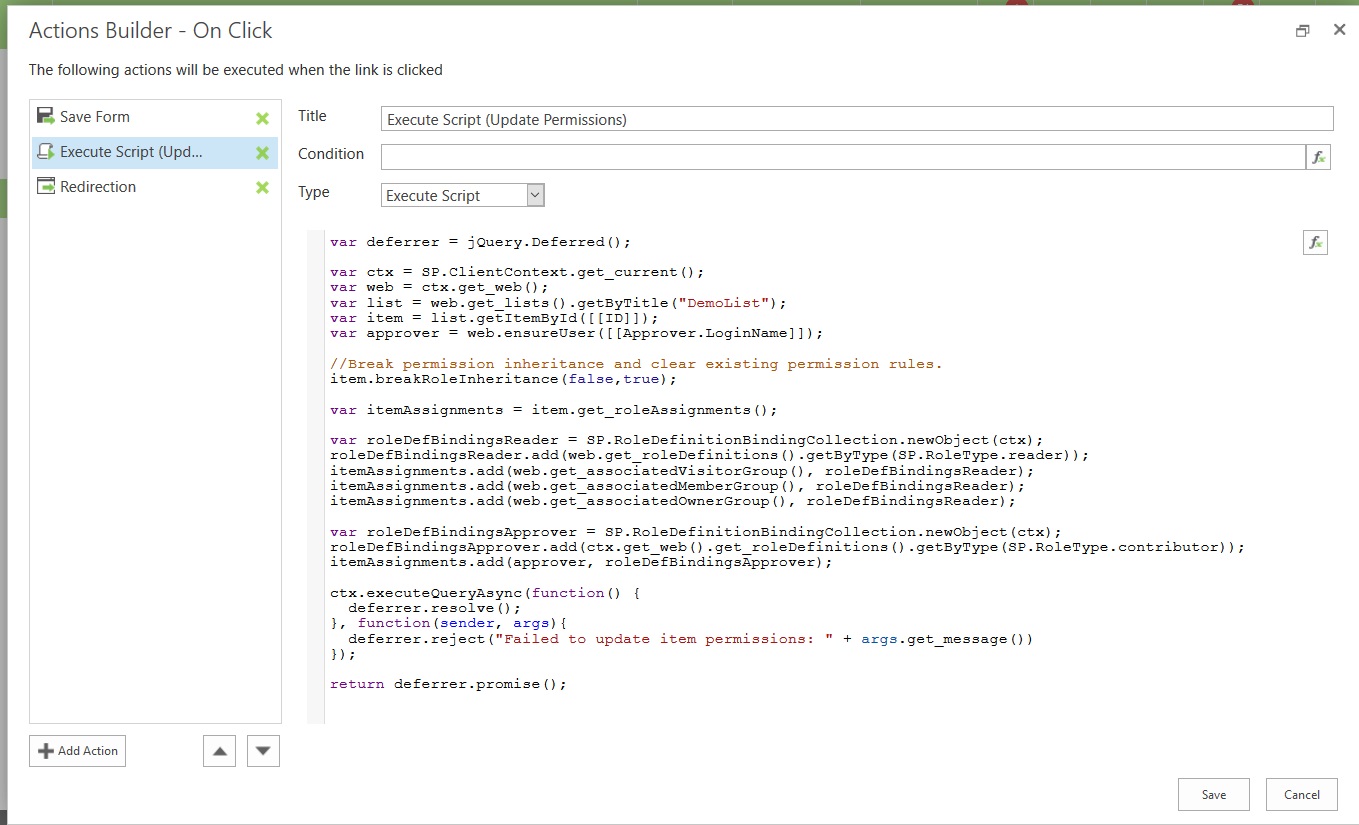
In order to achieve this, open a new form in solution studio and add new action Execute Script after Save Form action for Save button:

Javascript code for Execute Script (Update Permissions) action:
var deferrer = jQuery.Deferred();

var ctx = SP.ClientContext.get_current();
var web = ctx.get_web();
var list = web.get_lists().getByTitle("DemoList");
var item = list.getItemById([[ID]]);
var approver = web.ensureUser([[Approver.LoginName]]);

//Break permission inheritance and clear existing permission rules.
item.breakRoleInheritance(false,true);

var itemAssignments = item.get_roleAssignments();

//Set read-only permisisons for site default groups
var roleDefBindingsReader = SP.RoleDefinitionBindingCollection.newObject(ctx);
roleDefBindingsReader.add(web.get_roleDefinitions().getByType(SP.RoleType.reader));
itemAssignments.add(web.get_associatedVisitorGroup(), roleDefBindingsReader);
itemAssignments.add(web.get_associatedMemberGroup(), roleDefBindingsReader);
itemAssignments.add(web.get_associatedOwnerGroup(), roleDefBindingsReader);

//Allow Approver to edit the item
var roleDefBindingsApprover = SP.RoleDefinitionBindingCollection.newObject(ctx);
roleDefBindingsApprover.add(ctx.get_web().get_roleDefinitions().getByType(SP.RoleType.contributor));
itemAssignments.add(approver, roleDefBindingsApprover);

ctx.executeQueryAsync(function() {
 deferrer.resolve();
}, function(sender, args){
 deferrer.reject("Failed to update item permissions: " + args.get_message())
});

return deferrer.promise();